Troubleshooting dossier · Patch 1.0.1

Quasimorph Covert Operations Guide

Short answer: the widely repeated “grey Start button / mission item” explanation comes from a January 2025 Early Access report, not verified 1.0.1 documentation. Use the diagnostic order below without treating an old workaround as a current rule.

Current 1.0.1 fixNot publicly verifiedHistorical reportDeveloper acknowledged in 2025
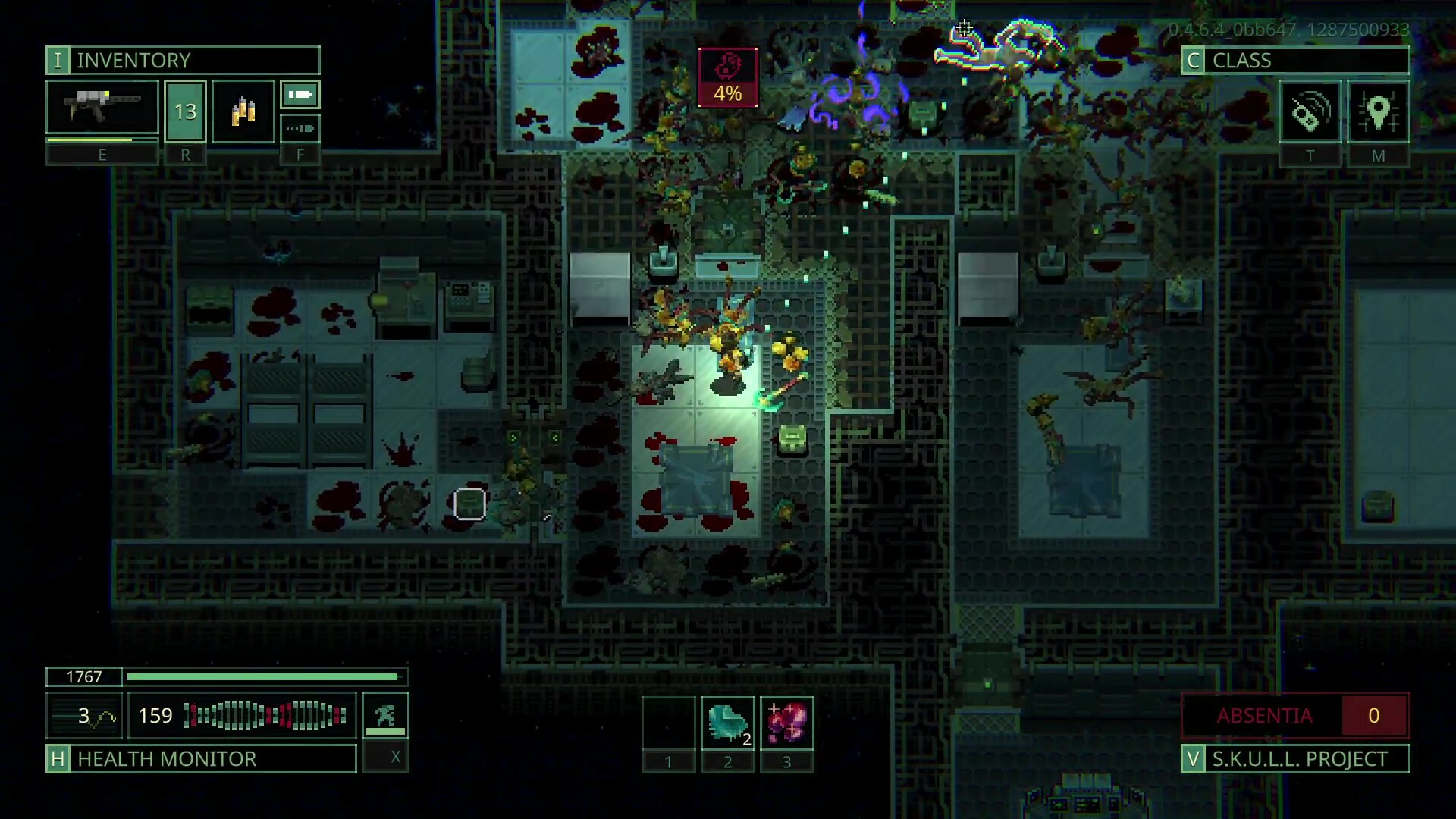
Quasimorph Covert Operations guide: tactical gameplay showing inventory and mission interface
Official gameplay screenshot Use the mission and inventory panels as the first diagnostic surface. This official gameplay image illustrates the current on-screen context, not a Covert-specific fix. © Magnum Scriptum / HypeTrain Digital

Current community footage · 1.0 storyline

EMP Scorcher objective shown in play

The embedded run starts at the in-mission prompt to set up the Scorcher near the computers. It confirms that this objective appeared in a 1.0 RealWare storyline run; it does not establish where every save spawns the case, why Start may be disabled, or whether a lost item can be replaced.

Community footage published 14 August 2026. Timestamp verified against the spoken in-mission Scorcher prompt.

Player blocked or saving data?

On larger screens, this primary privacy-enhanced player may load muted automatically unless reduced motion or Save-Data is enabled. If it is blocked, continue with the written guide on this page.

Safe diagnostic order

Check what you can observe before risking an item

  1. 01

    Confirm the build and mission text

    Record the version shown by Steam and read the current mission panel. Patch 1.0.1 changed mission and peaceful-station tooltips, so older screenshots may not match your UI.

  2. 02

    Inspect required-item indicators

    Look for a mission-tagged item, cargo requirement, disabled-control tooltip or other in-game explanation. Keep the item in a recoverable location while troubleshooting.

  3. 03

    Test the least destructive state change

    Re-open the mission preparation screen and re-check the correct character/cargo context. Do not sell, destroy or deliberately lose a unique mission object to “reset” it.

  4. 04

    Collect a useful bug report

    Capture version, mission phase, exact disabled text, item location and the last action before the problem. That evidence is more actionable than repeating a pre-1.0 workaround.

Version boundary

What is known, and what is not

JAN 2025 · EARLY ACCESS

Where the EMP Scorcher was reported

A developer representative said to look in the Cargo Hold’s first tab for a 2x1 suitcase with red markers. The same period includes a known greyed-out Start report. Both describe Early Access behavior, not a 1.0.1 spawn rule.

EARLY ACCESS ONLY

AUG 2026 · PATCH 1.0.1

Current cause and recovery

If the case is absent, first confirm the current mission phase, build, character and Cargo Hold tabs. The same spawn, an EMP requirement, a replacement path, and a no-replacement rule are not established for 1.0.1; collect the checklist below and report the mismatch.

OPEN VERIFICATION GAP
Make the next report useful

Copy this evidence checklist

Game version:
Mission phase / objective:
Exact disabled text:
Mission item name and location:
Character / ship cargo context:
Last action before the issue:
Screenshot or short clip:

No folklore as fact

Covert Operations FAQ

Why is Start greyed out in Covert Operations?

A January 2025 Steam thread records an Early Access bug report involving the mission item, and a developer representative acknowledged a known issue. That report does not prove the cause or fix in Steam 1.0.1.

Do I need an EMP Scorcher for Covert Operations in 1.0.1?

This site could not verify that as a current 1.0.1 requirement. A January 2025 developer representative said the 2x1 red-marked case spawned in the Cargo Hold, but that is Early Access history, not a current spawn guarantee.

Can a lost mission item be replaced?

A universal replacement or no-replacement rule is not established for Patch 1.0.1. Do not delete, sell, or risk a unique-looking mission item based only on an old post; check the current mission UI first.

References

  1. Steam Patch 1.0.1 recordofficial announcement · checked 2026-08-12
  2. Historical Steam discussion — Covert Operationscommunity discussion · checked 2026-08-12
  3. Official Quasimorph Steam store pageofficial store · checked 2026-08-12